
1
2
4
8
16
32
64
128
0
|
Have you seen?Graph Unknowns Use clues about expressions and their graphs to find the missing values. So far this activity has been accessed 194 times and 2 Transum Trophies have been awarded for completing it. |
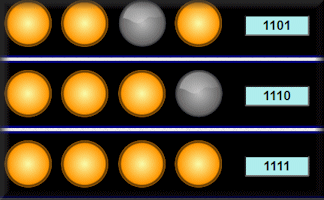
Binary LightsA Visual AidThis interactive page provides suppport for those learning about binary numbers. It shows the ones and zeros as lights. A light turned on represents a one while a light turned off represents a zero. There are a number of ways to interact with the lights. 1. Click on a light to turn it on or off. 2. The button 'Headings' will show or hide the values of the lights. 3. The button 'Total' will show or hide the decimal equivalent of the binary number. 4. The button 'Count' starts the lights showing a counting sequence. 5. The button 'Reset' sets the lights to zero. 6. The button 'Random' shows a random number between 1 and 255. |
|
|
Now that you have been introduced to the binary system it is time to practise using it with this exercise: |
||
|
Do you have any comments? It is always useful to receive feedback and helps make this free resource even more useful for those learning Mathematics anywhere in the world. Click here to enter your comments. Binary Finger CountingEven young children know that it is possible to count to ten on your fingers but using binary you can count to over 1000. |
||


Jo Morgan, Twitter
Saturday, November 16, 2019
"Binary: It's as easy as 01, 10, 11."